Your phone is now the TV remote.
Remofy controls your Samsung, LG, Roku, Firestick, Vizio, Hisense and Android TV over Wi-Fi — no infrared, no extra hardware, no codes to look up. Lost your remote? Pick up your phone.
- 12+
- TV brands
- 7
- languages
Why Remofy
What makes Remofy a real remote?
It doesn't fake it with a generic button grid. Remofy speaks each TV's own protocol over your Wi-Fi, so every button does exactly what the original remote does.
Speaks your TV's own language
Samsung Tizen, LG webOS, Roku ECP, Android TV Remote v2, Fire TV, Vizio SmartCast, Hisense VIDAA — Remofy connects with each platform's native protocol instead of guessing IR codes. That's what makes it a genuine universal remote rather than a one-size-fits-none app.
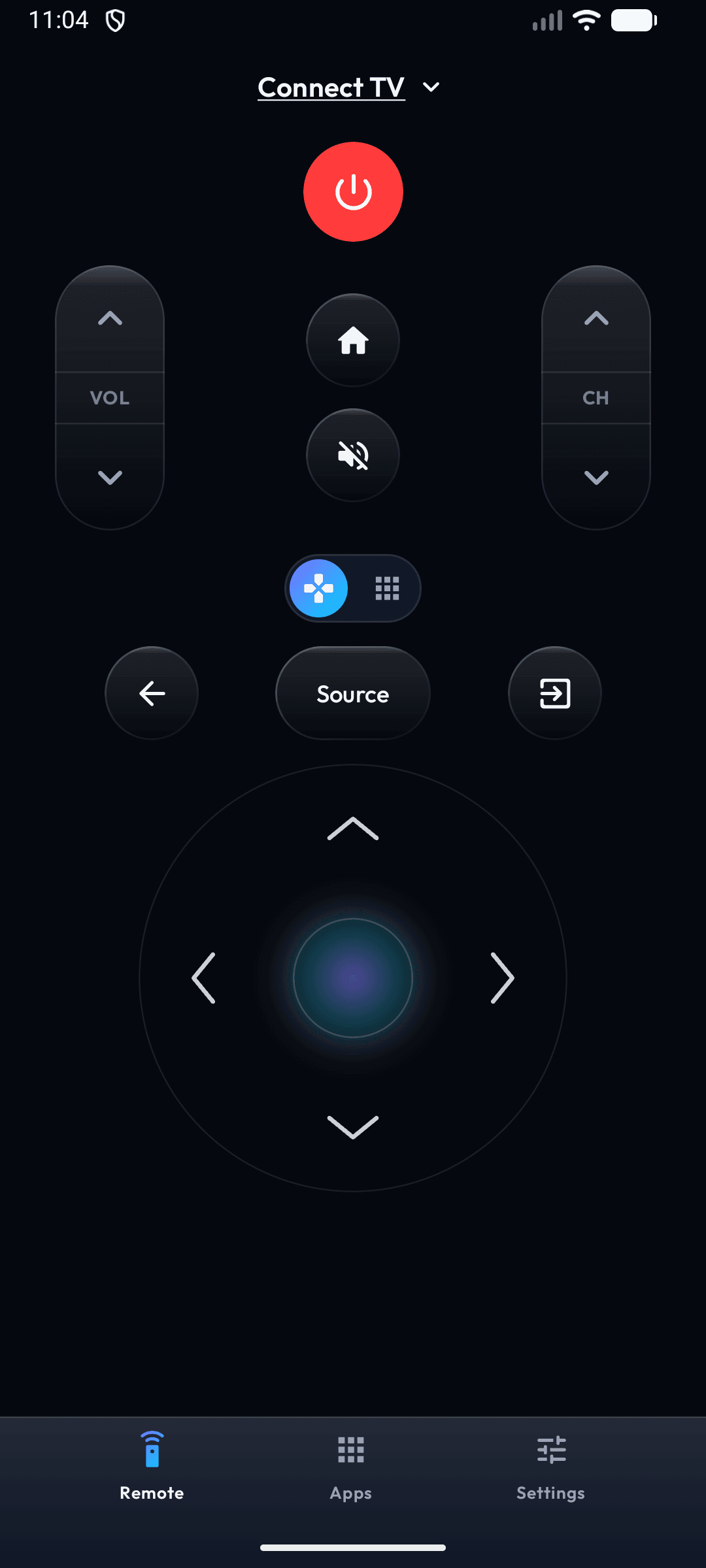
Touchpad navigation
Swipe to move, tap to select. The trackpad turns your phone into a pointer for menus and streaming apps — far quicker than jabbing at a D-pad.
One-tap app launcher
Jump straight into Netflix, YouTube, Prime Video or Disney+ without scrolling the TV home screen.
Finds your TV automatically
Open the app on the same Wi-Fi network and Remofy discovers nearby TVs for you. Saved TVs reconnect on their own the next time you open the app — no pairing to repeat.
Keyboard for fast search
Type searches and logins with your phone keyboard. No more pecking letters one arrow-press at a time.
No codes, no IR setup
There's no infrared blaster, no model lookup and no four-digit code tables. If the TV is on your Wi-Fi, you're ready.
Setup
How do I set up my phone as a TV remote?
Same Wi-Fi network
Connect your phone and your smart TV to the same home Wi-Fi. That's the only requirement — no IR blaster, no dongle.
Pick your TV
Open Remofy — it discovers nearby TVs automatically. Tap yours and accept the one-time prompt or PIN on the TV screen.
Start controlling
D-pad, volume, channels, touchpad, keyboard and app shortcuts — everything the plastic remote did, on your phone.
In the app
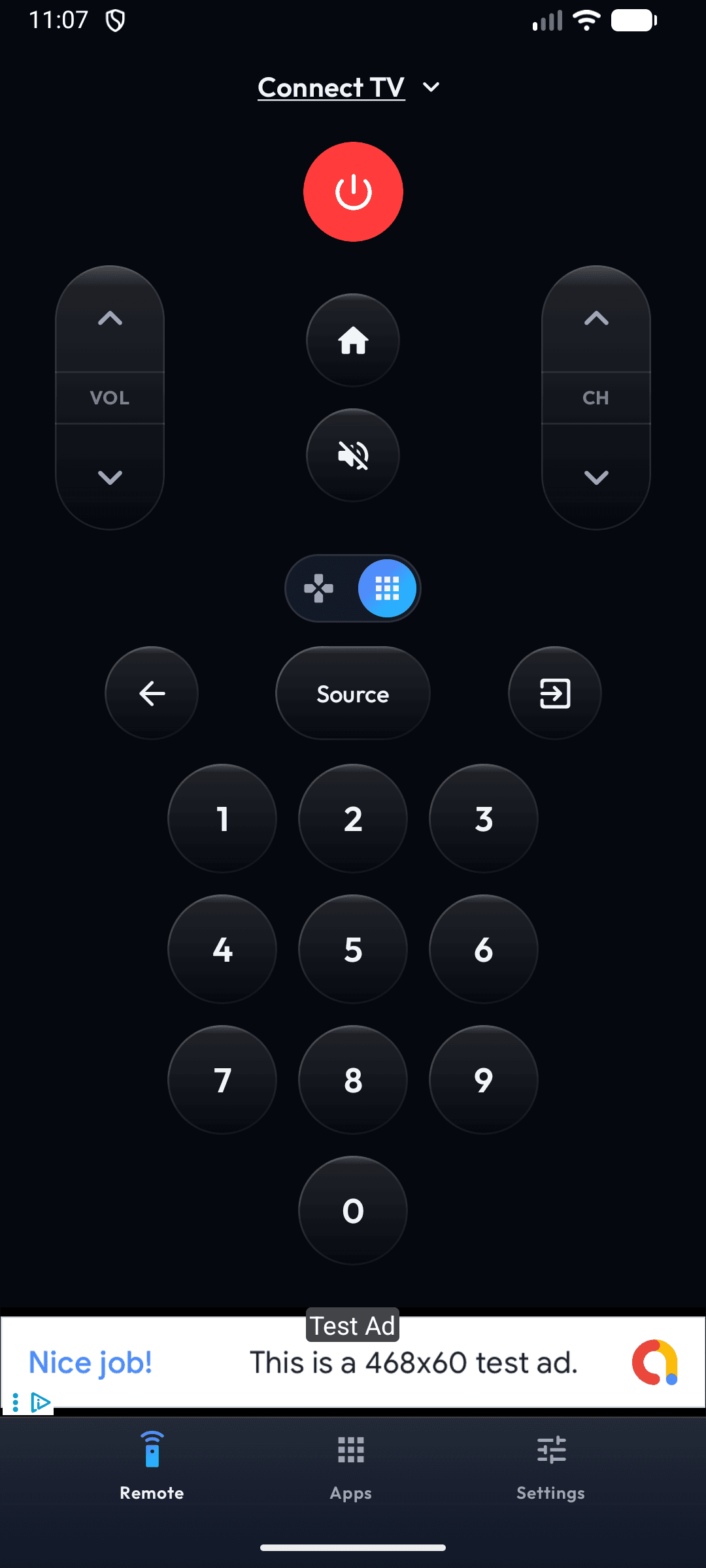
A real remote, not a button grid
Remofy mirrors the remote your TV expects — clean, fast and free, over your home Wi-Fi.
- Every button does the real thingPower, volume, channels, the D-pad and OK are mapped to your TV's own protocol — not a generic code list.
- Switch to a number pad in one tapJump straight to a channel without hunting through the on-screen guide.
- Touchpad and keyboard built inSwipe to navigate and type searches with your phone keyboard — never behind a paywall.
Honest pricing
What does "free" actually mean here?
Most remote apps lock the volume buttons or the keyboard behind a $40/year subscription. Remofy doesn't. It's supported by occasional ads that never interrupt you mid-use.
Setup guides by brand
Which TV do you have?
Every brand pairs a little differently. Each guide covers the exact steps, the pairing prompt to expect, and brand-specific troubleshooting.
FAQ
Questions people ask before installing
Short, honest answers. Each TV brand page has its own deeper FAQ if you need brand-specific detail.
Is Remofy really free?
+
Yes. Remofy is free to download and free to use. There's no subscription, no trial that turns into a charge, and the touchpad and keyboard are never locked behind a paywall.
Does Remofy need Wi-Fi to work?
+
Yes. Remofy controls your TV over your home Wi-Fi network, so your phone and your TV need to be on the same network. It doesn't use infrared, so you don't need to point your phone at the TV.
Does Remofy work without the original remote?
+
Yes. Because Remofy connects over Wi-Fi, you can control a TV that's already on your network even if you've lost the physical remote — as long as you accept the one-time prompt or PIN on the TV screen.
Which TVs does Remofy support?
+
Samsung (Tizen), LG (webOS), Roku and Roku TV, Amazon Fire TV, Android TV and Google TV, Sony BRAVIA, Philips, TCL, Vizio (SmartCast) and Hisense (VIDAA). Each brand has its own setup page with exact pairing steps.
Does Remofy use infrared (IR)?
+
No. Remofy never uses your phone's IR blaster — most phones don't have one. It speaks each TV's native network protocol over Wi-Fi, which is why there are no codes to look up and no line-of-sight needed.
Are there ads or a subscription?
+
There's no subscription. Remofy is supported by occasional ads, but it won't interrupt you with pop-ups while you're actively using the remote.
Guides
Lost remote? Start here.
The remote you can't lose.
Free on Google Play. Works with 12+ TV brands over your home Wi-Fi — set up in about two minutes.